
Eleven is now a RealPage Certified AppPartner. ElevenOS provides authentication for managed Wi-Fi for both multifamily and hospitality environments. With RealPage connected, ElevenOS activates each resident's Wi-Fi at move-in and removes access at move-out.
For the providers that run managed Wi-Fi in RealPage communities, that means faster move-ins and move-outs, with far less hands-on work.
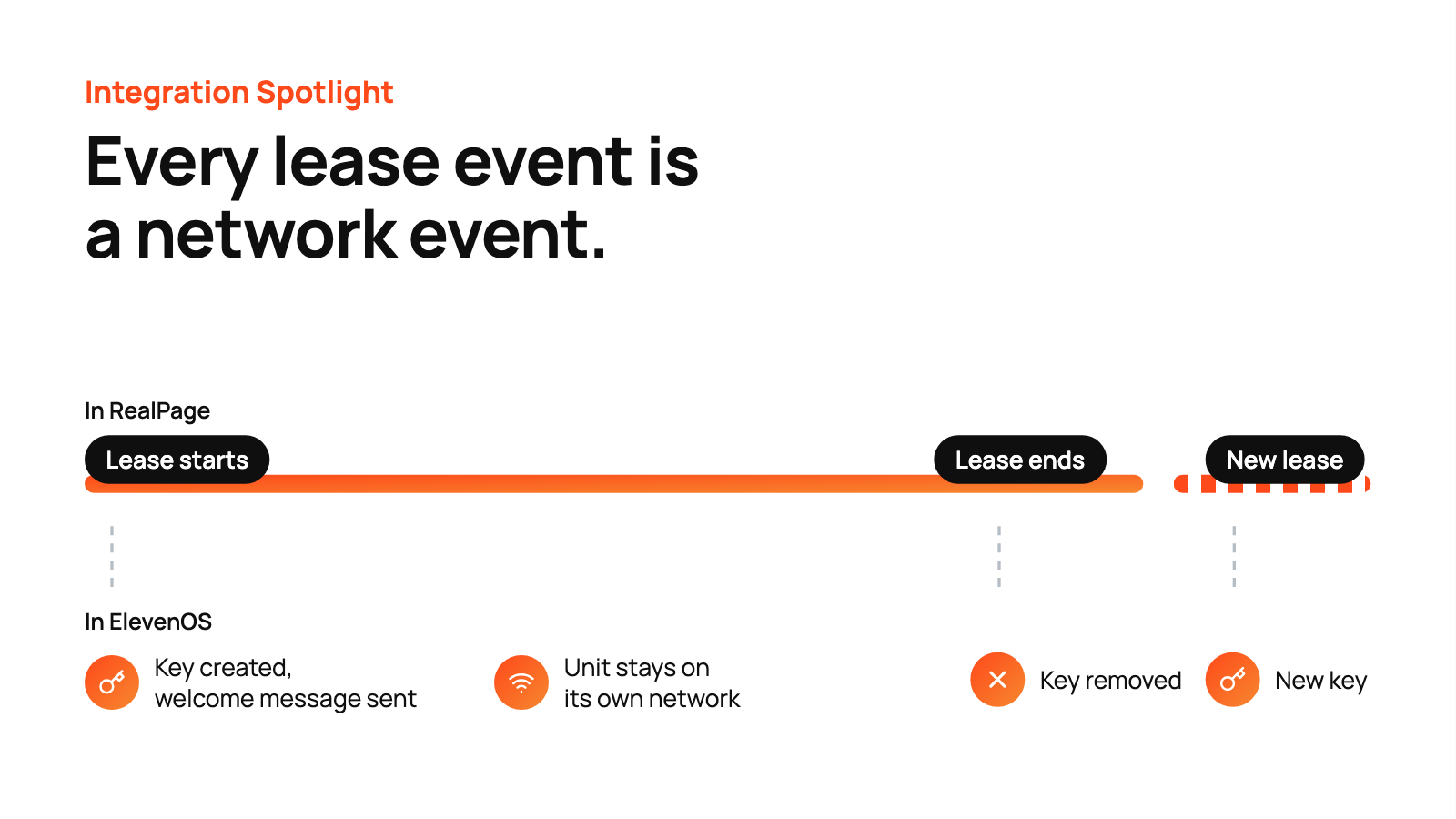
Instant Activation Based on Lease Date
Here's what happens at each step:
- Move-in. ElevenOS creates a Personal Pass Key for the unit, gives the unit its own Personal Area Network (a private network for each unit) and sends the resident a welcome message with their network details by email or text. Their devices connect with that key, with no portal to sign into.
- During the lease. Each unit's Personal Area Network stays private from its neighbors and, where the property is set up for it, reaches amenity spaces like the pool and gym. Property managers can also set each resident's speed tier.
- Move-out. The resident's key and Personal Area Network are removed, and the next lease gets a new key.
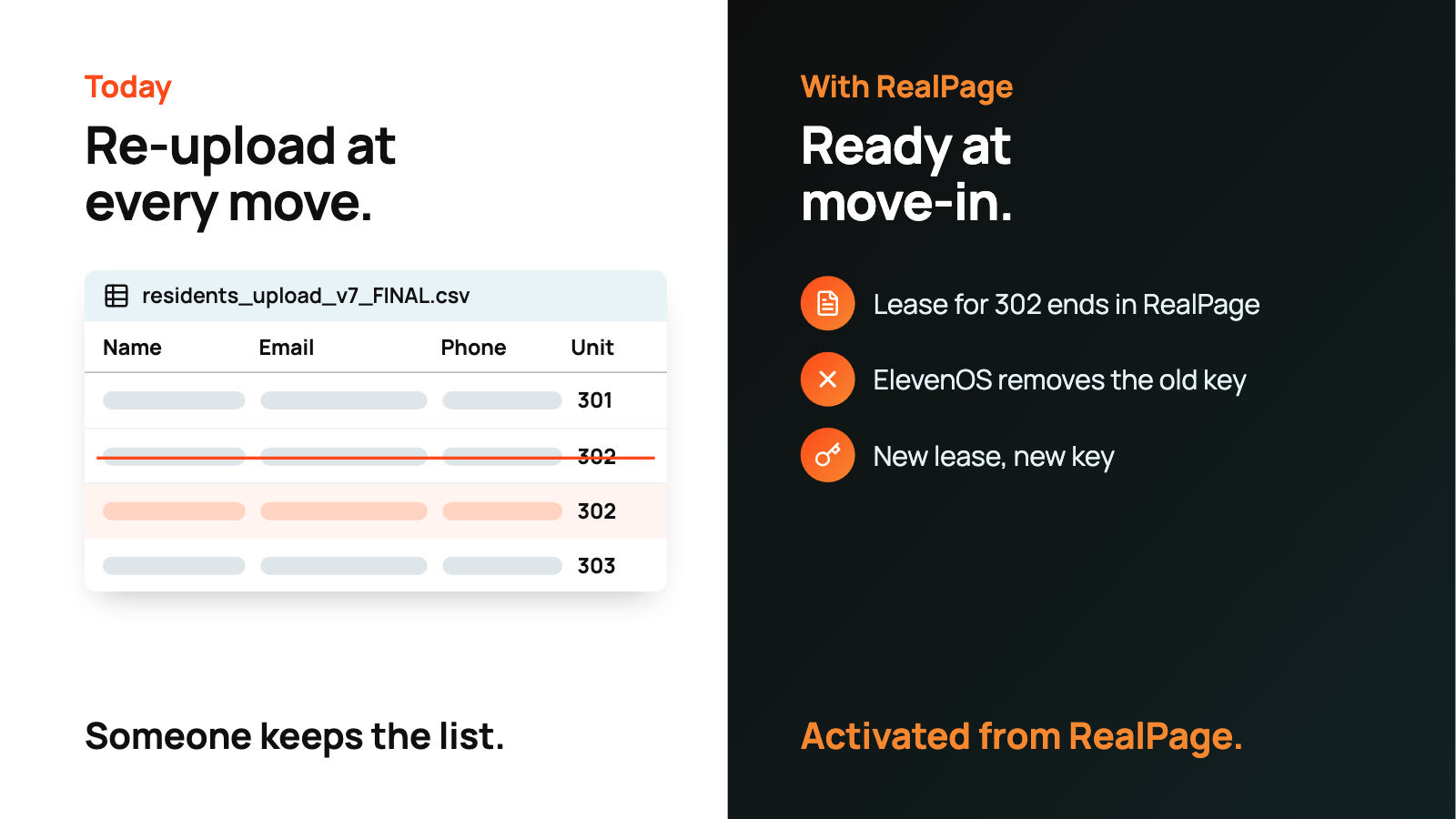
A new resident needs a Wi-Fi key. A move-out needs access shut off before the next resident arrives.
Without a connection to the property management system (PMS), those steps run through a spreadsheet. Someone collects each new resident's name, email, phone number and unit, bulk-uploads it into the Wi-Fi system, and swaps residents in and out by hand at every move. Service providers (MSPs, ISPs and cable operators) do the re-uploads, residents wait to get online and onsite teams end up as the help desk.
Secure Personal Area Networks for All Residents
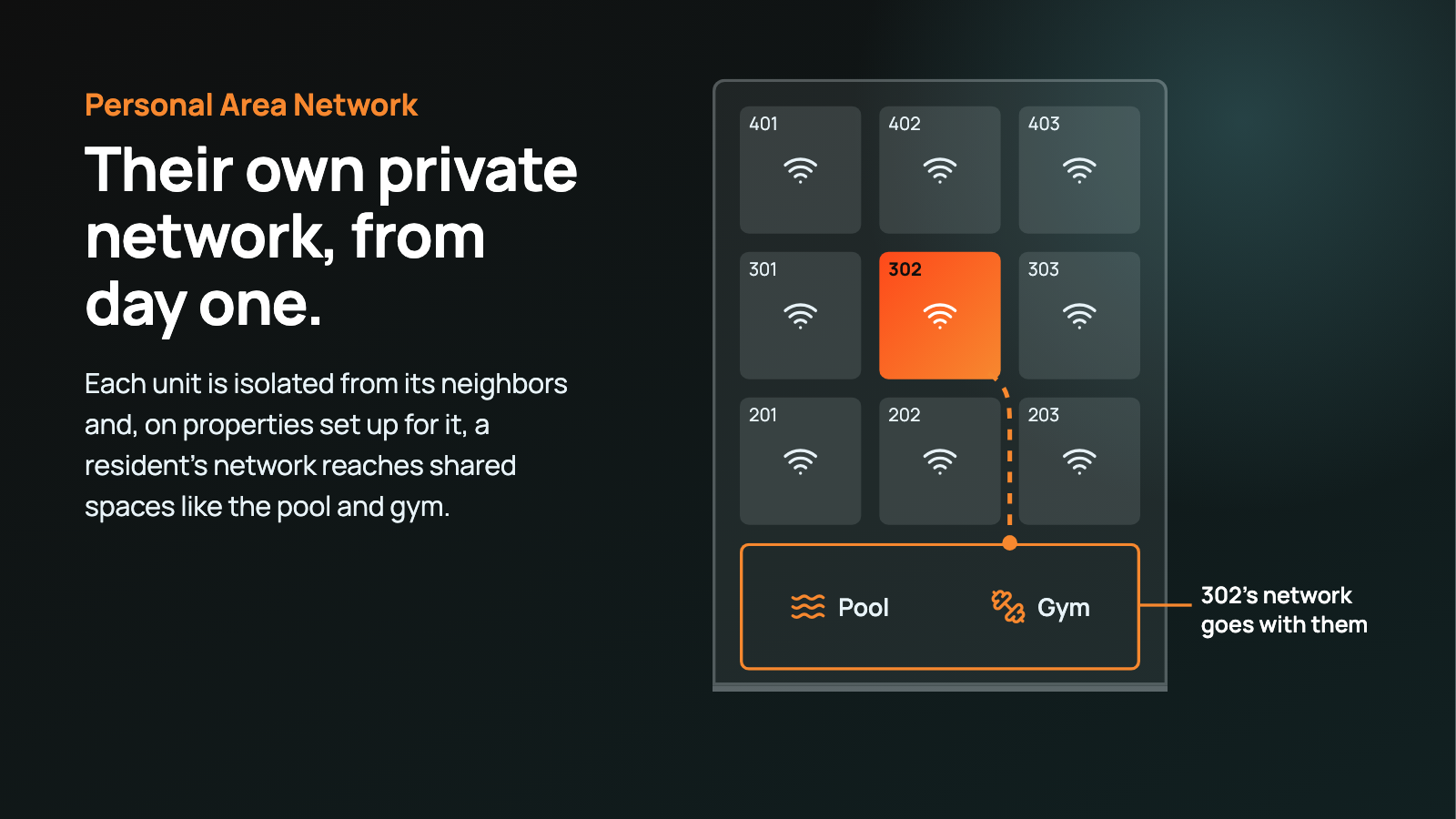
Every unit gets its own Personal Area Network: a private, secure network on the property's shared Wi-Fi, created with the unit's Personal Pass Key. Only devices that join with that key land on the unit's network.
- Privacy from neighbors. Each unit's traffic stays inside its own network, and other residents can't see or reach those devices.
- A key for every unit, not a building password. Every unit has its own key, even on a shared network name, so one household's password never opens another's network.
- Access ends at move-out. When the lease ends, the unit's key is removed, so a former resident's devices can't get back on. The next lease gets a new key.
- Private MAC addresses don't weaken it. Devices are recognized by the key, not their MAC address, so phones and laptops that rotate addresses stay connected and stay on the right network.
It still feels like home Wi-Fi the resident set up themselves. Behind the scenes, it's one managed property network run by the service provider.
- Devices work together. Phones, smart TVs, speakers, printers and game consoles can see each other, so casting and AirPlay work like they do at home.
- One password for the household. Everyone in the unit uses the same key, and nobody has to register devices.
- No router in every unit. The private networks run on the shared infrastructure, so there's nothing to install or maintain in each apartment.
- Around the property. Where the property is set up for it, a resident's own network reaches amenity spaces like the pool or gym, with no separate guest network.
For owners, that turns Wi-Fi into an amenity: "your own private Wi-Fi from day one," in place of "connect to the building network."
Time Back for Providers, Onsite Teams and Residents
Most of the time goes back to the service providers that run managed Wi-Fi. Onsite teams and residents gain too:
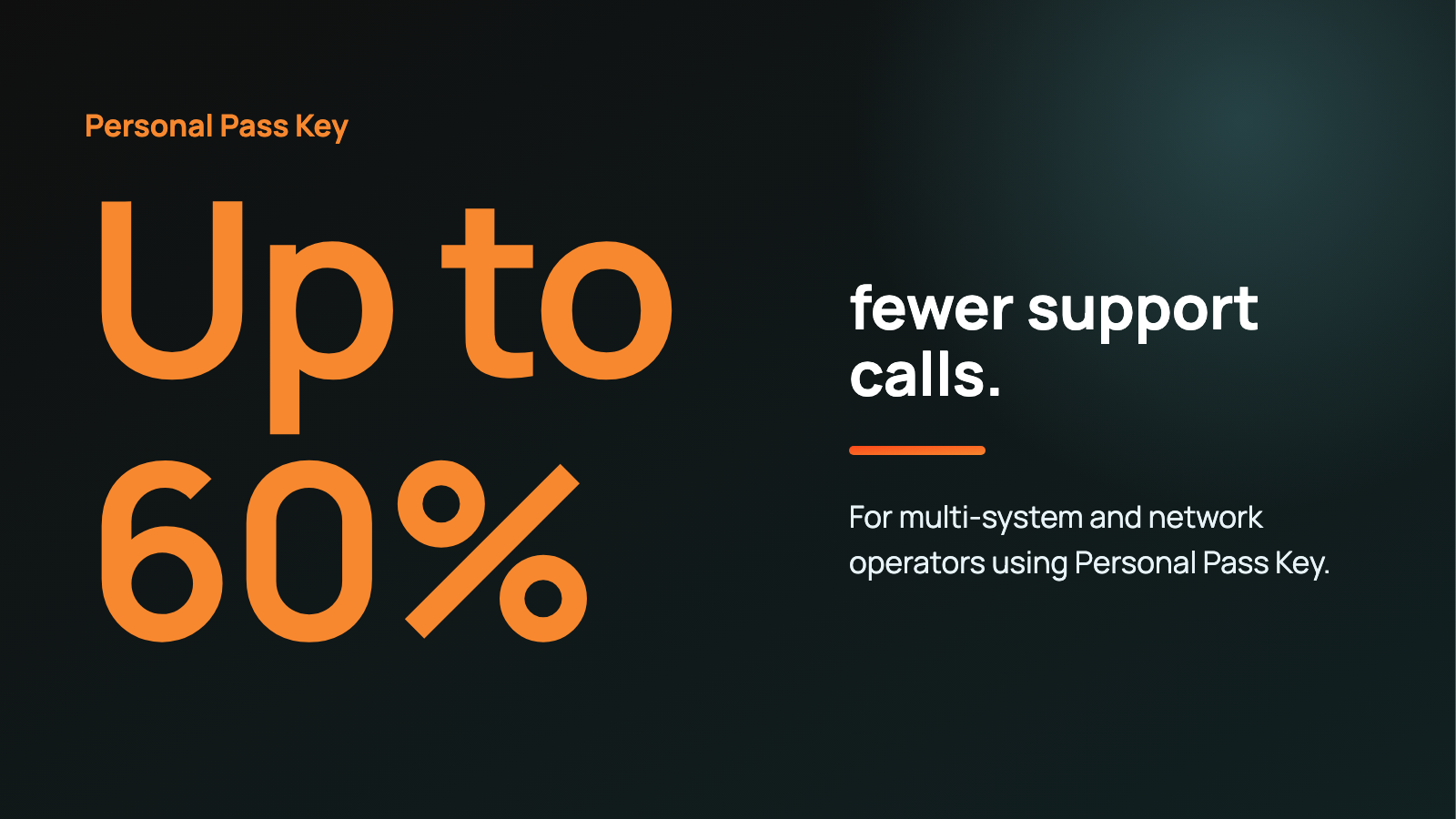
- Service providers. They skip the resident bulk uploads and the manual changes at every move-in and move-out, and speed tier changes need no technician visit. They also field fewer support calls: for multi-system and network operators, Personal Pass Key has cut support calls by up to 60%.
- Onsite teams. They stop being the Wi-Fi help desk. There are no keys to create at move-in or revoke at move-out.
- Residents. They skip the Wi-Fi setup chore and the wait. They're online from move-in.
"Service providers shouldn't have to keep a second copy of the rent roll just to deploy managed Wi-Fi," said Viki Marras, Senior Product Manager at Eleven. "With RealPage connected, the lease does that work, and every move-in and move-out happens without a bulk upload."
FAQ
What is a Personal Pass Key?
A unique Wi-Fi password for each unit. Every unit has its own key even on a shared network name, and each unit's traffic stays inside its own Personal Area Network.
Does the integration need new hardware?
Usually not. It works with wireless controllers that support per-unit keys and RADIUS VLAN assignment, such as Ruckus SmartZone and MikroTik, so service providers keep their choice of hardware.
How does ElevenOS connect to RealPage?
Through RealPage Exchange, the program RealPage uses to approve partner integrations.
How quickly do lease changes reach resident Wi-Fi?
Automatically. ElevenOS checks RealPage throughout the day, so a new resident's Wi-Fi is ready on their move-in date. Nobody has to trigger it.
What happens with early move-outs, renewals or changed lease dates?
ElevenOS acts on the lease dates in RealPage. When a lease ends, early or on schedule, the resident's key is removed. When a lease is renewed, nothing changes for the resident, and their Wi-Fi keeps working.
Does ElevenOS work with other property management systems?
ElevenOS works with a wide range of property management systems, for apartment communities and hotels, with more on the way. Using a different PMS for your apartment communities? Ask us.
Can an existing ElevenOS community move to the RealPage integration?
Yes. Residents keep their current Wi-Fi passwords during the move, so nobody has to reconnect.
Getting Started
The RealPage integration is available to ElevenOS multifamily customers and service provider partners. If your communities run on RealPage, talk to our team about connecting ElevenOS, or see how ElevenOS works for multifamily communities.
RealPage is a trademark of RealPage, Inc. All other trademarks are the property of their respective owners.